Self-hosted platforms
Shortr
URL shortener with built-in analytics.
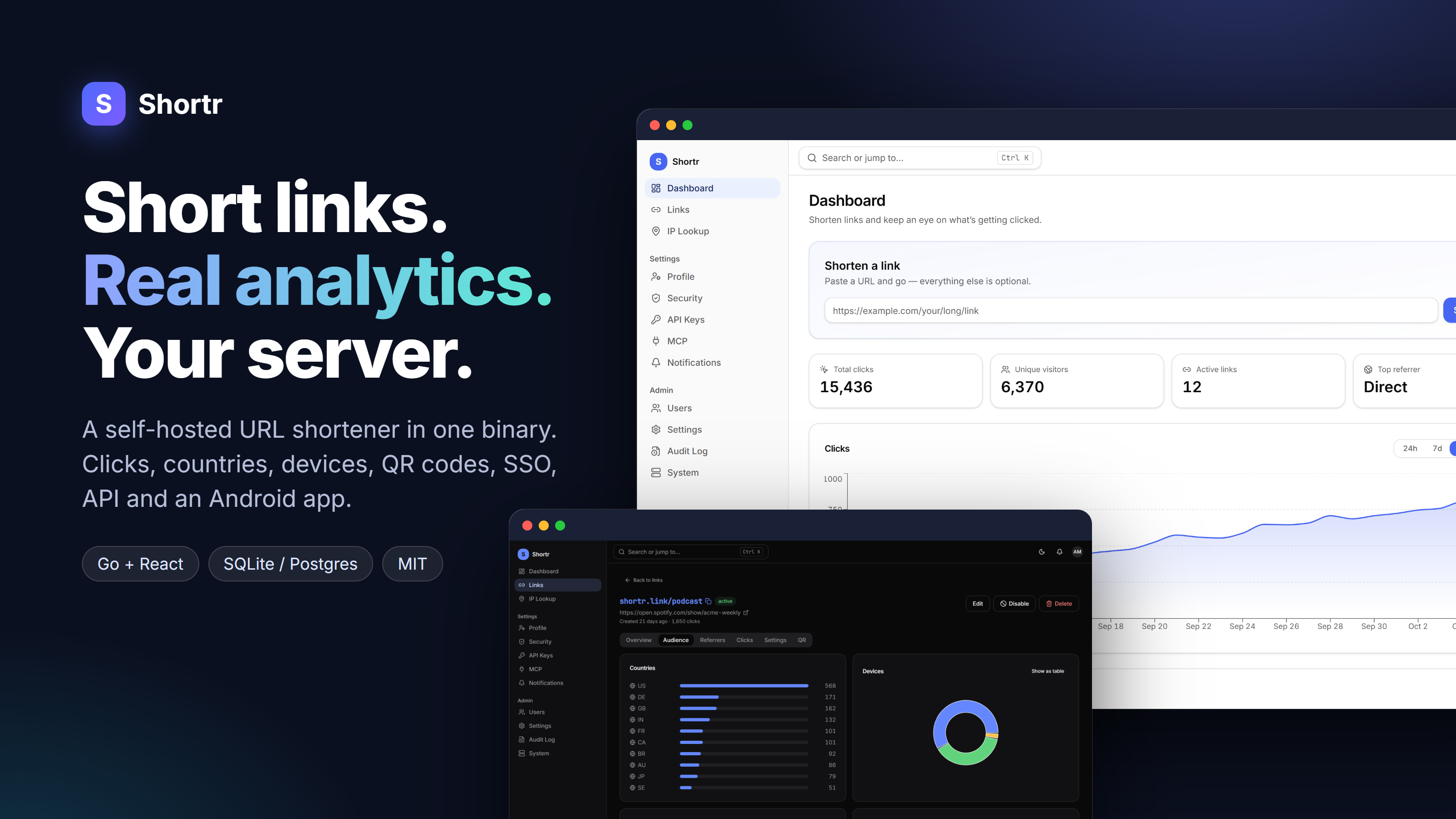
Custom links, QR codes, geo and device stats, OIDC SSO and an Android app. One Go binary with SQLite or PostgreSQL.
Why I built it
I wanted short links with proper analytics, without sending visitors through someone else's tracker.
Architecture
How it fits together
Visitor
Clicks a short link
Shortr
Fast redirect
Click analytics
SQLite or PostgreSQL
You
React dashboard
embedded in the binary
Screenshots
See it in use
Documentation
From the README
A self-hosted URL shortener with built-in analytics. One binary, one container, no external services required.
- Backend: Go, SQLite by default or PostgreSQL
- Frontend: React and TypeScript, embedded in the binary
- Docs: Wiki
Features
- Short links — custom or generated codes, expiry dates, click limits, password protection, tags, bulk import, QR codes, soft delete with restore
- Analytics — clicks over time, countries and cities (with an optional offline GeoIP database or your own IP-lookup service), devices, browsers, referrers, UTM campaigns, bot filtering, CSV export
- Privacy controls — store, anonymize, hash, or drop visitor IPs
- Accounts — local sign-in with optional two-factor codes (TOTP), single sign-on through any OIDC provider (Keycloak, Authentik, …), registration modes, an admin panel for users and settings
- Android app — shorten and manage links, stats, QR codes and "Share → Shortr" from your phone; pair it by scanning a code or sign in with SSO
- Private console, public links — optionally run the console on its own port, so only redirects and a token-only API face the internet
- Notifications — in-app, plus optional email (SMTP with STARTTLS, TLS or a plain LAN relay) and Gotify push
- Integrations — REST API with scoped API keys (or your SSO provider's access tokens), QR pairing for mobile apps, OpenAPI spec, and an MCP server for AI assistants
- Audit trail — sign-ins and failed attempts, key, settings, user and link changes, each with IP, user agent and auth method, filterable
- Operations — health and Prometheus endpoints, automatic SQLite backups, works behind Nginx Proxy Manager, Traefik, Caddy or Cloudflare Tunnel
Getting started
Build from source (Go 1.26+ and Node 20+):
git clone https://github.com/anand34577/shortr.git
cd shortr
make build
SHORTR_BASE_URL=http://localhost:8080 ./bin/shortr
Open http://localhost:8080/app/setup and create the first admin account.
On later runs the setup page is disabled.
For UI work, run the backend as above and start the frontend dev server in a second terminal:
cd web
npm install
npm run dev
Docker
cp .env.example .env      # set SHORTR_BASE_URL at minimum
docker compose up -d
Compose variants for other setups:
# PostgreSQL instead of SQLite
docker compose --env-file .env -f deploy/docker-compose.postgres.yml up -d

# Behind Nginx Proxy Manager
docker compose --env-file .env -f deploy/docker-compose.npm.yml up -d
See deploy/NGINX_PROXY_MANAGER.md for the full NPM walkthrough, including a Cloudflare Tunnel + VPN setup.
One port or two
Out of the box everything runs on one port, which is the simplest option. If you publish Shortr on the internet but would rather not expose the web console, give the console its own port:
SHORTR_BASE_URL=https://sho.rt        # public short links
SHORTR_ADMIN_LISTEN=:8081             # console, sign-in, admin API
SHORTR_ADMIN_URL=http://10.0.0.5:8081 # how you reach it on your LAN/VPN
Port 8080 then serves only redirects, health checks and an API that accepts
API keys or SSO tokens (no cookies, no sign-in page, no setup, no metrics).
Point your tunnel or public proxy at 8080 and keep 8081 on your LAN or VPN.
Set SHORTR_PUBLIC_API=false if nothing but redirects should be public.
Admin → System shows what each port exposes.
Data lives in the /data volume. Images are also published to
ghcr.io/anand34577/shortr for each release.
Deploying a release build
Download the binary for your platform from the
Releases page. Each release
includes a SHA256SUMS file.
Linux (systemd)
curl -LO https://github.com/anand34577/shortr/releases/latest/download/shortr-linux-amd64
sudo install -m 0755 shortr-linux-amd64 /usr/local/bin/shortr
sudo curl -Lo /etc/systemd/system/shortr.service https://raw.githubusercontent.com/anand34577/shortr/main/deploy/shortr.service
sudo systemctl daemon-reload
sudo systemctl enable --now shortr
Put your SHORTR_* variables in /etc/shortr/env (one KEY=value per line). Use
shortr-linux-arm64 on ARM boards.
macOS and Windows
Download shortr-darwin-arm64, shortr-darwin-amd64 or
shortr-windows-amd64.exe, set SHORTR_BASE_URL, and run it. On macOS run
chmod +x on the file first.
Configuration
Everything is configured with SHORTR_* environment variables, and
.env.example lists the common ones. Invalid values stop the server at
startup with a clear message, and shortr config check validates your
setup without starting it. The full list is on the
Configuration
wiki page.
If you run behind a reverse proxy, set SHORTR_TRUSTED_PROXIES so visitor
IPs are read correctly. Use shortr admin create to add an admin from the
command line.
To fill in visitor country and city, point Admin → Settings → IP location at a service that answers GET / (see the wiki's Configuration page); to store exact visitor IPs, set SHORTR_IP_MODE=full.
Android app
Download the APK from the Releases page, then in the web console create an API key under Settings → API keys and scan the QR code it shows. Details, including Keycloak sign-in, are on the Android App wiki page. To build it yourself, see android/README.md.
Two-factor sign-in
Password accounts can add an authenticator app under Settings → Security. Admins can make it mandatory under Admin → Settings. If someone loses their phone and recovery codes, an admin removes it from the user's page, or on the server:
shortr admin reset-mfa --email you@example.com
API access, MCP, and audit logging
Create API keys under Settings → API keys. Each key gets only the scopes
you choose (links:read, links:write, stats:read, admin:*) and can
carry an expiry.
curl -H "Authorization: Bearer sk_..." https://links.example.com/api/v1/links
The OpenAPI spec is served at /api/v1/openapi.json.
Admins can turn on the MCP server under Admin → Settings. AI assistants
then manage links through the same scoped keys at /mcp. See the
MCP wiki page for
client setup.
Sensitive actions, such as user changes and settings updates, are recorded in the audit log under Admin → Audit.
Self-hosted platforms